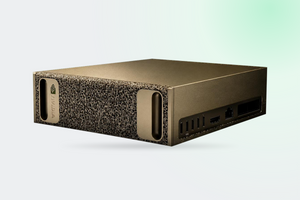
The question usually arrives like this: «we bought one DGX Spark, we hit a wall, should we buy a second?». The answer depends not on the wish to scale but on which wall you hit. If it is memory capacity, a second node helps. If it is generation speed, it will not help at all. Below are figures from official specifications, measurements from open testing, and an explanation of why two different parameter counts for a linked pair circulate in reviews.
In brief
- One Spark: 128 GB of unified memory, 273 GB/s of bandwidth, inference on models up to 200 billion parameters
- Two nodes are stitched together directly by a QSFP cable between the ConnectX-7 ports, no switch involved
- The rated 200 Gb/s is not what everyone gets: open measurements showed 92 to 95 Gb/s until the links were bound correctly
- Memory doubles, token generation speed does not: it stays tied to the 273 GB/s of each node
- Up to three nodes connect with direct cables, the fourth one needs a switch
What a single machine does
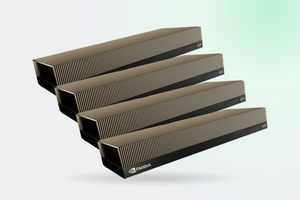
Briefly, because the full single-node breakdown with the specification table, the story of 119 GiB instead of 128 and the explanation of power draw is already in our review NVIDIA DGX Spark: what it actually handles. The essentials: the GB10 Grace Blackwell superchip, 128 GB of shared coherent LPDDR5x and 273 GB/s of bandwidth.
The official ceiling for one machine: fine-tuning models up to 70 billion parameters and inference up to 200 billion. Capacity is the real advantage here. A model that will not fit into the 96 GB of a professional card does fit into a Spark, and it needs no rack, no three-phase supply and no dedicated cooling loop. The price is honest and known in advance: LPDDR5x instead of HBM, meaning capacity was bought with bandwidth.
Where it runs out
At 273 GB/s. This is the number that matters, and it explains every review saying «the model loaded but answers slowly». Token generation is a sequential read of model weights from memory for every single token. However much compute you have, it will not outrun the memory.
The gpt-oss 120B measurements are collected in our single-node review: prompt reading at around 1,725 tokens per second, generation between 38.6 and 55.4 depending on the engine and the format. The machine reads your prompt instantly, then types the answer at roughly the pace of a person reading aloud.
One caveat, without which the picture comes out crooked: those are single-user figures. When requests arrive in volume the weights are read once per batch, and the same gpt-oss 120B on vLLM delivers 862 tokens per second in total across 256 concurrent requests. So «slow» applies to the scenario of one person and one large model, not to a team sharing an assistant.
How two nodes are stitched together
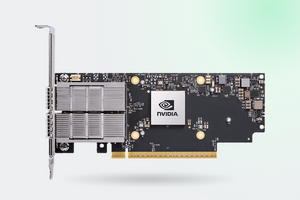
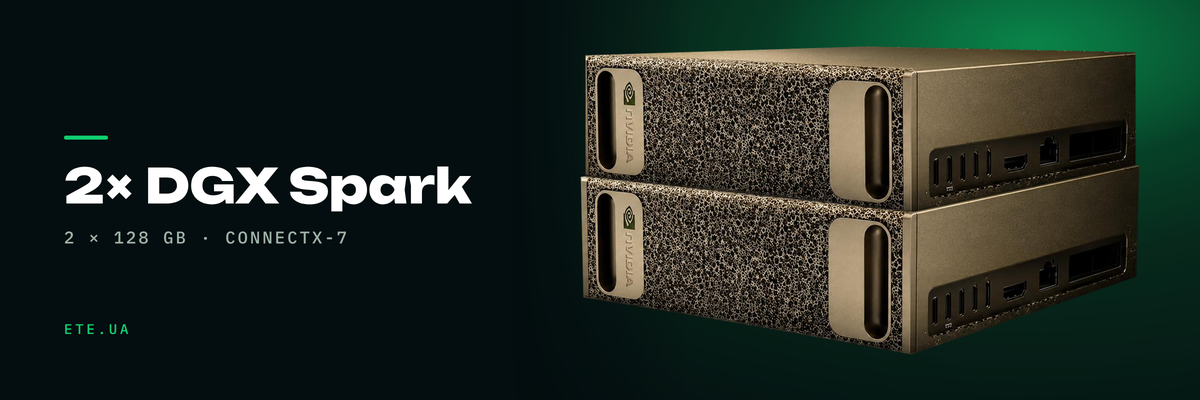
Each Spark carries a ConnectX-7 with two QSFP ports at 200 Gb/s. Two nodes connect directly, cable from port to port, and no switch is required. The official NVIDIA «Connect Two Sparks» playbook describes exactly that: the physical link, network interface configuration through netplan, passwordless SSH between the nodes. The whole route is budgeted at about an hour.
The cable has to be a specific one: a passive QSFP112 DAC, 0.5 m long. NVIDIA lists two validated models, the Amphenol NJAAKK-N911 and the Luxshare LMTQF022-SD-R. The bundled PNY QSFP to QSFP 112G cable at 0.5 m is made to the same specification, so there is no need to hunt for anything longer or active. Half a metre is not a design slip: the two boxes sit side by side on a desk.
What 200 Gb/s actually delivers
This is where the marketing material stops helping. In ServeTheHome testing the full 185 to 190 Gb/s appeared only once the interfaces had been bound to the correct 100-gigabit MACs on one of the QSFP cages. While the binding was left arbitrary, both links ran through a single PCIe Gen5 x4 channel and delivered 92 to 95 Gb/s. Half the rated figure, with no visible configuration error: it simply runs twice as slow.
The practical conclusion is simple. Budget a day for network configuration and verify the result with RDMA measurements, not with the fact that the link came up.
How many nodes can be linked
The rule is short: up to three nodes connect with direct cables, the fourth one needs a switch. The difference is not in configuration but in budget and space: three boxes on a desk against a rack with a switch.
The ceiling NVIDIA quotes today is four systems and models of up to 700 billion parameters. The figure «405 billion on two Sparks» that turns up in reviews also comes from NVIDIA: it is the wording from launch, when linking was capped at two machines, and it still stands on partner pages that copy the manufacturer's text word for word. Both numbers are genuine, 405 is simply the earlier revision.
Who will be fine with one
One is enough if your model fits into 128 GB and you are developing rather than serving a stream of users. A prototype, fine-tuning a model up to 70 billion, a local assistant for the team, work with sensitive data that cannot go to the cloud: all of it is covered by a single box under the desk, with no rack, no industrial socket and no dedicated air conditioning.
A second node makes sense in two situations. First: the model does not fit into 128 GB and memory is exactly what you need. Second: you are learning distributed training as an engineering practice and need a genuine second node with genuine NCCL rather than a simulation.
In every other case the arithmetic is this: twice the memory, the same response speed. Measurements on a linked pair show prompt reading speeding up by 6 to 25 per cent depending on the model, while generation does not speed up at all and can even drop. The reason is the same 273 GB/s: each node has its own and a neighbour does not add to it.
If generation speed is the wall you hit, the answer is not a second Spark but cards with HBM, where bandwidth is measured in thousands of gigabytes per second.
The NVIDIA DGX Spark is in stock in Kyiv. Pickup or same day shipping, with the cable for linking two nodes ordered separately.
The DGX Spark product page with specifications. Tell us the model and the workload and we will say which wall yours will hit, memory capacity or bandwidth, and whether a second node is needed.