








|
Quantity
|
Out of stock
|
||
|
|
|||
|
|
|||
How server memory differs from desktop memory
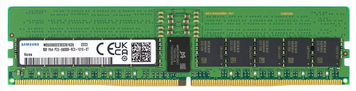
A module for a home computer and a module for a server look alike but behave differently. Server memory corrects errors on the fly: ECC catches a single flipped bit and returns the right value. For a job that runs for a day, that is the difference between a finished task and a quietly spoiled result.
The second difference is the load on the memory controller. Registered modules carry a buffer that takes part of the work off the controller, which is exactly why a server accepts sixteen sticks instead of four.
What to look at
- Module type. RDIMM for most server platforms, MRDIMM for the newest generations with doubled speed. A plain UDIMM will not fit a server board.
- Capacity and stick count. Channels are filled evenly: eight 64 GB modules beat four 128 GB ones on the same platform.
- Frequency. The CPU memory controller has its own ceiling, and faster memory will simply run below its rated speed.
- Platform compatibility. Board vendors publish a qualified vendor list, and stepping outside it is a gamble.
How much to take
For GPU servers a simple rule works: roughly twice as much system memory as total GPU memory. Two cards of 141 GB give 282 GB of VRAM, so a terabyte of RAM is not headroom but the working norm: the dataset unfolds in system memory and feeds the cards from there.
If you are unsure about the configuration, send us the server or motherboard model. We will pick a set that fills the channels evenly and does not run into a controller limit.