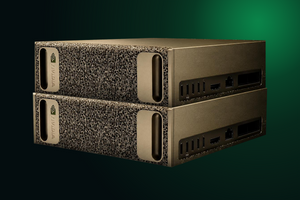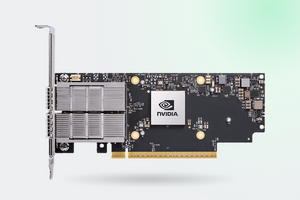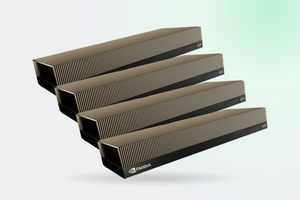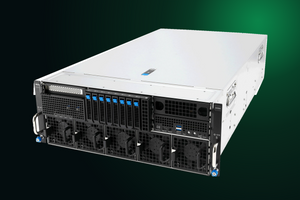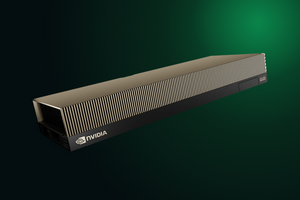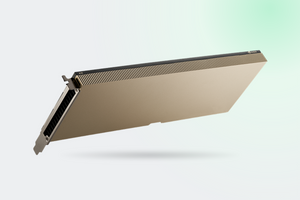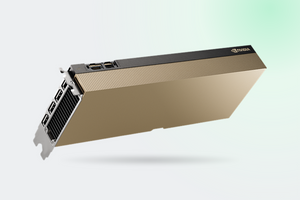

A box the size of a chunky router, 128 GB of memory, a price tag in decent used-car territory. NVIDIA sells DGX Spark as a personal supercomputer for working with large models. We looked into what it actually handles, and where the slide-deck numbers part ways with what people see on their own desks.
In brief
- 128 GB of unified memory, of which the operating system sees around 119 GiB
- Computes fast, generates slowly: everything runs into 273 GB/s of bandwidth
- A dense 70-billion-parameter model with a single user produces 2.7 tokens per second. That is not a typo
- At 256 concurrent requests, though, gpt-oss 120B delivers 862 tokens per second in aggregate
- The 240 W figure is the power supply rating; the GPU itself draws 120 W at most
What is inside
At the core sits the GB10 Grace Blackwell chip: twenty Arm cores (ten Cortex-X925 plus ten Cortex-A725) and a Blackwell GPU with 6144 CUDA cores and fifth-generation Tensor Cores. CPU and GPU are linked over NVLink-C2C and share coherent memory, so data never has to be copied between system RAM and video memory.
| Spec | Value |
|---|---|
| Chip | GB10 Grace Blackwell, 140 W TDP |
| CPU | 20 Arm cores: 10× Cortex-X925 + 10× Cortex-A725 |
| CUDA cores | 6144 |
| Memory | 128 GB LPDDR5x, 256-bit bus, 16 channels |
| Bandwidth | 273 GB/s |
| Storage | 1 TB or 4 TB self-encrypting NVMe M.2 |
| Networking | ConnectX-7, 200 Gbit/s, 2× QSFP, plus 10 GbE RJ-45 |
| Size and weight | 150 × 150 × 50.5 mm, 1.2 kg |
| Operating system | NVIDIA DGX OS based on Ubuntu 24.04, aarch64. No Windows |
Sources: NVIDIA product page, DGX Spark hardware documentation
The first surprise for owners: instead of 128 GB the system reports about 119 GiB, or 122,570 MB. Nothing was taken by the OS, this is the gap between the vendor's gigabytes and the gibibytes Linux counts in. NVIDIA moved the explanation into a separate knowledge base article because the question kept coming up.
The one limit the presentations leave out
A language model works in two phases. First it reads your whole prompt (prefill), then it emits the answer one token at a time (decode). Phase one is bound by compute, phase two by memory speed: producing a single token means reading every weight in the model.
Spark has compute to spare, and memory that moves at 273 GB/s. That gap is behind almost every complaint owners have. Here is how it looks in numbers on gpt-oss 120B:
| Who measured, and with what | Prompt reading | Generation |
|---|---|---|
| ServeTheHome, stock Ollama | not measured | 14.5 tok/s |
| llama.cpp, MXFP4 format | 1723 tok/s | 38.6 tok/s |
| Level1Techs, llama.cpp MXFP4 | not measured | 51.9 tok/s |
| NVIDIA official, batch 1 | 1725 tok/s | 55.4 tok/s |
A 3.8× spread on the same model. The reasons: different engines, different quantization formats, different test dates. Sources: ServeTheHome, Level1Techs, NVIDIA blog
Reading a prompt at 1725 tokens per second is genuinely quick. Generating at 55 tokens is roughly the pace of a person reading aloud. Fine for chat, thin for pushing documents through a pipeline.
The number to know before you buy
People buy 128 GB mainly for 70-billion-parameter models, which will not fit into an ordinary graphics card. The LMSYS team benchmarked Llama 3.1 70B in FP8 with one user and got 2.7 tokens per second. At that rate a three-hundred-word answer takes a minute and a half to type itself out.
The model fits in memory and it runs. The only question is whether you are willing to sit and watch it. Acceptable for overnight batch work, not for anything interactive.
Bandwidth again. A dense 70-billion-parameter model in FP8 occupies about 70 GB, and every single token requires reading all 70 GB. At 273 GB/s the theoretical ceiling comes out below four tokens, and the measured 2.7 lands exactly inside that arithmetic.
Now the part that changes the picture
Everything above assumes a single user. Once requests pile up, the weights get read once per batch, and the machine shows a completely different face. Dendro Logic's measurements on vLLM:
| Model | 1 request | 64 requests | Peak |
|---|---|---|---|
| gpt-oss 120B MXFP4 | 33.5 | 373.3 | 862.8 at 256 |
| Nemotron Super 49B NVFP4 | 5.8 | not measured | 695.1 at 256 |
| Nemotron Nano 9B v2 NVFP4 | 26.2 | not measured | plateau ~156 at 32 |
A hundred-and-twenty-fold gain on Nemotron Super 49B is not a typo. This is where the machine's real purpose lives: it was built to serve a workload, not to sit in a chat window with one person. If you have a department of fifteen developers who need an in-house coding assistant, Spark will cope. If you are alone and want the largest model you could find, the money went the wrong way.
Power: where the “half the performance” reports came from
NVIDIA's forum has a telling thread titled “Only getting half the advertised performance and capping at 100W”. The owner concluded the unit was defective.
NVIDIA's answer is straightforward: 240 W is the peak rating of the external power brick. The GPU section is specified to draw 120 W at most, and the rest goes to the CPU, the ConnectX-7 network chip and peripherals. So 100 W on the GPU under load is expected behavior, not a defect. The advertised petaflop needs a footnote as well: that figure is FP4 with sparsity, and Wendell at Level1Techs points out that such numbers arrive in half-second bursts.
Idle draw is a separate story. NVIDIA does not specify it at all, even though buyers treat the device as an always-on workstation. The main idle consumer turned out to be the network chip, and a firmware update closed part of that.
Two nodes: what that buys and what it does not
Two Sparks connect directly with a QSFP cable through ConnectX-7 and act as a single 256 GB resource. NVIDIA claims support for models up to 405 billion parameters on such a pair, and the documentation adds that direct cabling covers up to three systems, or four through a switch.
What you should not expect is double the speed. Measurements show prompt reading gaining between 6 and 25 percent depending on the model, while generation gains nothing or even slips. Pairing exists to fit a larger model, not to get an answer sooner. The topology, the validated cables and a breakdown of who genuinely needs a second node are in a separate piece, A two-node DGX Spark cluster.
Who it suits and who it does not
A good fit if you build for CUDA and need an environment identical to production without a cloud bill every month. If the data cannot leave company premises. If you have a team to serve rather than one person. If you fine-tune models up to 70 billion parameters with QLoRA and can afford to wait.
A poor fit if you want snappy interactive chat with the biggest model you could find. If you work in Windows: the OS is Linux only, on aarch64, and some of the software you rely on was never built for it. If you are counting on games or classic rendering.
What we have in stock
- PNY NVIDIA DGX Spark AI Server: the Founders Edition build with 4 TB of storage
- NVIDIA AI Enterprise for DGX Spark: one-year subscription, three and five-year terms also available
- NVIDIA Mission Control: cluster management once you run more than one node
- Nutanix servers: for when the prototype outgrows the desk and you need a production platform
FAQ
Why does the system report 119 GB instead of 128?
That is the difference between gigabytes and gibibytes, not operating system overhead. The actual usable figure is 122,570 MB. NVIDIA confirmed it in a dedicated knowledge base article.
Can Windows be installed?
No. The device runs DGX OS based on Ubuntu 24.04 for the aarch64 architecture. Windows is not supported, and not every tool has an ARM Linux build.
What socket and UPS should we plan for?
An external 240 W power supply, so a regular household circuit is enough with plenty of headroom. That is the key difference from a workstation carrying several graphics cards, which needs its own 20 amp line under load.
What does it take to link two units?
A QSFP to QSFP cable rated for 112 Gbit/s, plugged straight between the ConnectX-7 ports. A switch is only required above three nodes. A faster cable gains you nothing: 200 Gbit/s per port is the hardware ceiling.
How loud is it?
Audible at full load, close to silent when idle. This is a desk device, not a server node with thin fans spinning at 15,000 rpm.
Not sure Spark is the right tool for you?
Tell us which models you plan to run and how many people will be working with them. An engineer will work out whether one node covers it, or whether a build around the RTX PRO 6000 makes more sense.
Get a consultation