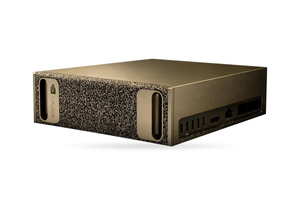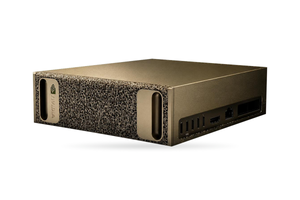
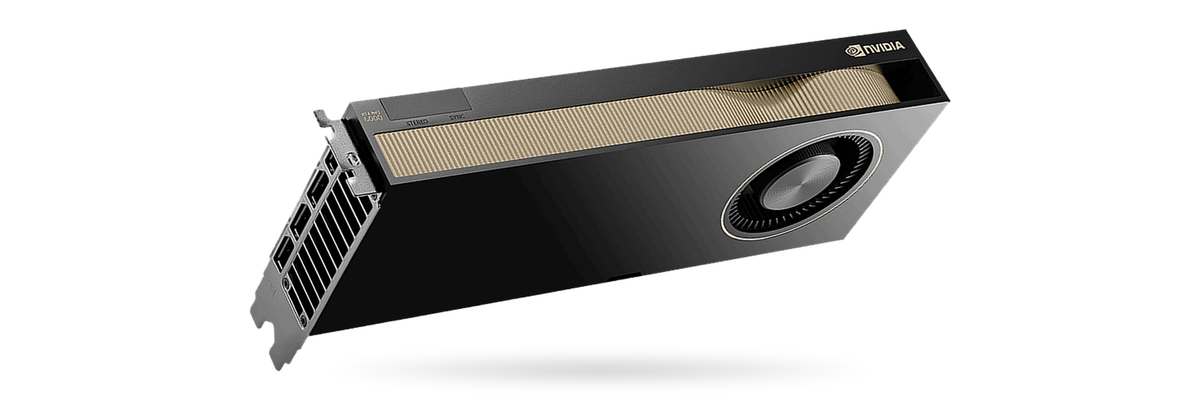
A recorded interview can become a timestamped, speaker-labelled transcript without the audio ever reaching a cloud service: noScribe, a free program for Windows, macOS and Linux, handles local interview transcription end to end. On a typical office computer, the project says, one hour of conversation needs between one and three hours of processing. An NVIDIA graphics card cuts that wait, and a workstation with a single 24 GB RTX PRO card is where a lone researcher or a small team usually starts.
This article is for sociological services, market research agencies, newsrooms and consultancies that have promised their respondents confidentiality. It covers what noScribe can do, how it handles Ukrainian and Russian, processing time, what Law No. 2297-VI expects, import into MAXQDA and the choice of workstation.
In brief
- noScribe, a free GPL-3.0 program, produces interview transcripts fully offline: Whisper via faster-whisper does the recognition, pyannote the speaker labels.
- On a typical computer an hour of interview takes one to three hours; the Windows CUDA build needs an NVIDIA card with 6 GB or more and driver 570.65 or newer.
- In "precise" mode noScribe uses Whisper large-v3-turbo, which the Handy ranking puts at 7.31% WER for Ukrainian and 5.93% for Russian on FLEURS; the README does not count these among its main languages.
- MAXQDA reads noScribe's [hh:mm:ss] timestamps from DOCX and RTF files, so, as we read it, a Word-saved transcript imports with audio links.
- Interviews often contain special categories of data under Article 7 of Law No. 2297-VI; transcribing locally adds no outside processor.
What noScribe does with an interview
The README presents noScribe as an app for high-quality interview transcripts in social research and journalism. It is licensed under GPL-3.0, uses OpenAI's Whisper through faster-whisper for recognition and pyannote for speaker labels. The official site, noscribe.de, promises no cloud: everything stays on your machine. The installer weighs about 3 GB because the models are bundled, so no internet connection is needed once it is installed.
| Setting | Function | Note |
|---|---|---|
| Language | detects it, uses a set one, or "multilingual" | the multilingual mode is experimental |
| Speaker labels | pyannote, speaker count fixed or "auto" | "none" turns it off |
| Overlapping speech | flags two people talking together | experimental |
| Disfluencies | records fillers and cut-off words | only a "recommendation" for the model |
| Pauses | "(..)" marks two seconds of silence | each dot stands for a second |
| Timestamps | [hh:mm:ss] at speaker changes or once a minute | needed to link text and audio |
| Quality | "precise" or "fast" | fast targets slower machines |
Source: noScribe README on GitHub, read 30.10.2026.
Once processing ends, the editor shows the transcript beside the recording: Ctrl plus the space bar plays audio from the cursor at variable speed, so names and figures can be checked on the spot. Version 0.7 brought batch processing and a command line, and 0.7.2, the latest release as of October 2026, added a headless mode for servers. Output is HTML by default, with plain text or WebVTT for EXMARaLDA as alternatives. The project warns that the domain noscribe(dot)ai sells paid services and has no connection to the author; the code lives on GitHub at kaixxx/noScribe.
Ukrainian and Russian in noScribe
According to the README, Whisper understands about 60 languages with widely varying quality, Spanish, Italian, English, Portuguese and German being the strongest. Ukrainian and Russian are not on that list, although the published measurements for both are decent. Going by the README's installation instructions (read 13.11.2026), "precise" mode runs faster-whisper-large-v3-turbo, which the Handy ranking puts at 7.31% WER on Ukrainian FLEURS and 5.93% on Russian. The full large-v3 does better there, 6.28% and 4.96%, and the NVIDIA paper (arXiv 2509.14128) gives it 6.51% and 4.17%. Those are read sentences; interviews with pauses and colloquial vocabulary will produce more errors. A comparison of models is in our article on recognising Ukrainian and Russian on-premise.
Respondents often switch between Ukrainian and Russian. The project itself calls the "multilingual" mode experimental, and we found no measurements on surzhyk or mixed speech. Compare a fixed language with "multilingual" on one typical interview and count errors in the Russian passages separately. Since version 0.6 noScribe accepts custom Whisper models, so large-v3 can replace turbo. We have not tested whether BuzzASR/ukrainian (MIT), a Whisper fine-tuned on Ukrainian, works with it.
The pyannote card gives no DER for Ukrainian or Russian; diarisation models and their GPU needs are discussed in our article on on-premise diarisation.
Processing time on a CPU and on a GPU
For a typical computer the noScribe site gives a rule of thumb: one to three hours of processing per interview hour, more on old hardware, which is why it suggests queuing jobs overnight. According to the site, an NVIDIA card with CUDA can speed this up considerably. The Windows build requires a card with at least 6 GB of video memory, driver 570.65 or newer and an installed CUDA Toolkit.
The project publishes no GPU timings of its own. The Open ASR Leaderboard paper (arXiv 2510.06961v3) reports an RTFx of 145.5 for Whisper large-v3 on a single A100-SXM4-80GB with batches of 64, i.e. 145.5 seconds of audio per second of compute; by our calculation a one-hour interview would take about 25 seconds there. WhisperX claims 70 times real-time speed in batched mode on large-v2 and under 8 GB of memory. Both figures come from different hardware and exclude speaker labelling. Actual noScribe time depends on the precise or fast mode, speaker labelling, the number of speakers, audio quality and the card, so process one typical interview on the workstation and plan the queue from that measurement.
Interviews as personal data under Law No. 2297-VI
Research and press interviews often touch the special categories in Article 7 of Law No. 2297-VI: ethnic origin, political and religious beliefs, party and trade union membership, health, criminal record. These may be processed only under the exceptions in part 2 of that article, among them the person's unambiguous consent. A voice recording linked to a name always contains personal data, as does its transcript before pseudonymisation. You need one of the six grounds in Article 11, and under Article 12 the respondent is told who the controller is, the purpose, who receives the data and what rights they have, including withdrawing consent.
A cloud transcription service processes recordings on your behalf as a processor, which requires a contract. If data leaves the EEA and the states party to Council of Europe Convention 108, transfer is possible only under the exceptions in part 4 of Article 29, for example with explicit consent. Local transcription adds no outside party. Processing with a special risk, which the Ukrainian Parliament Commissioner for Human Rights says includes health data among others, must be notified to the Commissioner within 30 working days of its start (Article 9).
Three steps help whichever route you take:
- Project documents. Check what the consent form and the data management plan say about who transcribes the recordings and where.
- Encryption. Store the audio encrypted and erase it at the point the consent or plan sets.
- Early pseudonymisation. Replace names, employers and places with codes and store the key table separately; a local language model can propose replacements, and a person reviews them.
Whether special rules apply to academic research and journalistic sources is for your lawyer or ethics committee to confirm. Bill No. 8153 had not been adopted as of November 2026; this is general information, not legal advice.
From transcript to MAXQDA, ATLAS.ti or Word
According to the README, the HTML file opens in Word, LibreOffice and the qualitative analysis tools MAXQDA, ATLAS.ti and QualCoder. For audio links in MAXQDA the transcript needs to go through DOCX or RTF. MAXQDA's help (read 30.10.2026) lists [hh:mm:ss] and f4x's #hh:mm:ss-x# among the timestamp formats it recognises, converts them into its own, recommends keeping transcripts and media in one folder under matching names and asks for the media file on import.
By our reading, noScribe's timestamps match one of those formats. Enable timestamps in noScribe, open the HTML in Word or LibreOffice, store it as DOCX in the audio's folder with a matching file name, then bring it into MAXQDA as a transcript with timestamps. Try this with one interview before the project begins. MAXQDA's help also lists VTT subtitle files, so the VTT export is a second route.
Transcription rules come first: a verbatim transcript with fillers, pauses and cut-off words, or a cleaned one. The model treats the filler setting only as a hint, so a person still proofreads the text against the audio.
Which GPU you need for interview transcription
noScribe is a desktop app, so tier one is a workstation on the desk of whoever does the transcribing. A language model comes in when you need summaries, initial codes or answers across many interviews. How many tokens an hour of Ukrainian interview takes depends on the tokeniser, and we found no published count for gpt-oss; we budget one 32,768-token session per interview including instruction and answer, so verify this on your own transcript.
| Tier | Hardware | Runs | For | Why |
|---|---|---|---|---|
| Starter | one RTX PRO 4000 SFF Blackwell (24 GB) in a workstation | noScribe with speaker labels | one researcher or a small team, overnight queue | far above the 6 GB minimum; Whisper large about 10 GB |
| Starter with an LLM | one RTX PRO 5000 Blackwell (48 GB) in a workstation | noScribe and gpt-oss-20b | a project team | 17.9 GiB left: 23 sessions × 32K tokens |
| Medium | one RTX PRO 6000 Workstation Edition (96 GB) in a workstation | noScribe and gpt-oss-120b | a sociological service or an agency running several projects | 12.9 GiB left: 11 sessions × 32K tokens |
| Server | RTX PRO 6000 Server Edition / L40S cards | a shared web app for transcripts plus the LLM | many concurrent projects and users | user accounts, jobs in parallel, fits a rack |
Source: GPU memory per NVIDIA; noScribe minimum per README; Whisper per OpenAI's repository (10 GB = 9.3 GiB); usable memory by our rule (90% of driver-visible memory, minus 3 GiB, minus weights): 40.0 GiB on 48 GB and 83.0 GiB on 96 GB; gpt-oss-20b 12.8 GiB plus 0.75 GiB per 32K session, gpt-oss-120b 60.8 GiB plus 1.125 GiB per session; our estimate, excluding the diarisation model whose memory its card does not state.
Entry tier. The RTX PRO 4000 SFF Blackwell has 24 GB of GDDR7 at 70 W, four times what noScribe requires. That suits one researcher or a team that shares the machine and leaves the queue running overnight.
With summaries. The RTX PRO 5000 Blackwell (48 GB, 300 W) leaves 40.0 GiB; gpt-oss-20b takes 12.8, Whisper roughly 9.3, and the remaining 17.9 GiB fit 23 sessions, so several people can request summaries or initial codes at once. What the model writes is a draft; the analysis stays with the researcher. Check the quality in Ukrainian separately: on the UNLP 2026 grammar benchmark even gpt-oss-120b scores only about 55%.
Medium tier. A workstation built around the 96 GB, 600 W RTX PRO 6000 Blackwell Workstation Edition handles gpt-oss-120b alongside transcription and, by our estimate, draws about 1.1 kW from the socket, within the capacity of a normal 230 V office circuit. A second card of this edition doubles the room for parallel work, and two is the practical limit. Given power cuts in Ukraine, connect such a workstation through a UPS (see the article on powering a multi-GPU workstation).
Server tier. When many projects run at once and staff need to upload files in a browser, a shared server takes over; web apps for this are compared in our article on a self-hosted Otter alternative. ETE sizes the configuration for your monthly interview volume from the actual load.
Setting up noScribe on a GPU workstation
- CUDA build. On Windows you need at least 6 GB of video memory, NVIDIA driver 570.65 or newer, the CUDA Toolkit and a restart. The compute capability of RTX PRO Blackwell is 12.0; confirm with the first transcription that the GPU is in use.
- Command line.
noScribe.exe --helplists the options, and--no-guiruns processing from scripts. - Offline. The models are part of the installer; if your policy requires, stop the workstation from making outbound connections.
- Server instead of desktop. WhisperX 3.8.6, released 25.05.2026 under BSD-2-Clause, adds word-level timestamps and pyannote diarisation; for the latter you accept the model's terms on Hugging Face and supply an access token. WhisperX's standard alignment models for German, French, Spanish and Italian carry the non-commercial CC BY-NC 4.0 licence. Ukrainian and Russian use other models, so before commercial use check the licence of the one that actually aligns your recordings.
- Storage. Use an encrypted data drive, cover it in backups and give every project a deletion date.
- Sharing one card. If a language model runs in vLLM next to noScribe, reduce
--gpu-memory-utilizationfrom the standard 0.92, since vLLM reserves that share of memory at start-up.
FAQ
Can interviews be transcribed locally without the cloud?
Yes. On Windows, macOS or Linux, noScribe does the whole job on your own machine, speaker labels and timestamps included. The models ship with the installer, so no internet access is needed.
Does noScribe recognise Ukrainian?
Yes, through Whisper. The default "precise" model, large-v3-turbo, scores 7.31% WER on Ukrainian FLEURS in the Handy ranking; the full large-v3 (6.28%) can be added as a custom model. For mixed Ukrainian and Russian speech there is only the experimental "multilingual" mode, so check accuracy on one of your own interviews.
How much video memory does noScribe need?
The Windows CUDA build works with NVIDIA cards from 6 GB and driver 570.65 or newer. A 24 GB card holds noScribe and Whisper large with plenty of headroom.
How long does it take to transcribe an hour of interview?
noscribe.de puts it at one to three hours on a typical computer. The project publishes no GPU timings, so process one of your own interviews on the workstation.
How do I import a noScribe transcript into MAXQDA?
Switch on the [hh:mm:ss] timestamps, convert the HTML to DOCX in Word, keep it beside the audio file with an identical name, then import it as a transcript with timestamps. That is our reading of MAXQDA's help, so test with one interview first.
Do I need the respondent's consent for transcription?
You need one of the six grounds in Article 11 of Law No. 2297-VI, and for special categories such as health or political views usually unambiguous consent under Article 7. Tell the respondent the purpose and their rights in advance; a lawyer confirms the details.
What ETE supplies for this
- NVIDIA RTX PRO 4000 SFF Blackwell 24 GB: noScribe and Whisper large with headroom at 70 W.
- NVIDIA RTX PRO 5000 Blackwell 48 GB: transcription and gpt-oss-20b for summaries on one card.
- ETE AI Workstation: an RTX PRO 6000 with 96 GB for gpt-oss-120b next to noScribe, with room for a second card.
- NVIDIA L40S 48 GB: a server card for a shared transcription service.
Need a workstation for interview transcription?
Tell us how many interviews you record per month, which languages your respondents speak and how many people will work with the transcripts. ETE will size the configuration, and Vixen.UNO engineers can install noScribe and a local language model if needed.