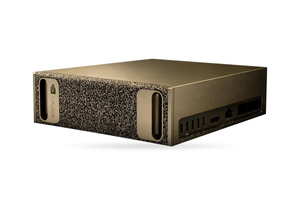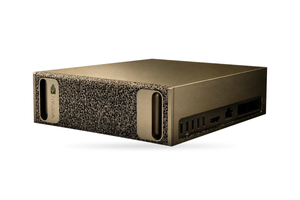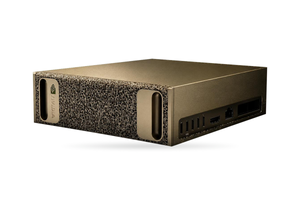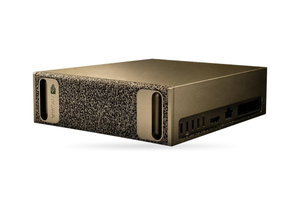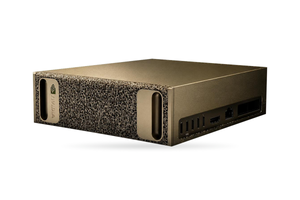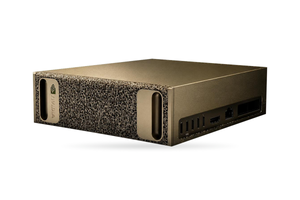

Nextcloud Assistant can run on a local LLM entirely on hardware you own: texts, summaries and answers drawn from files are produced either by Nextcloud's built-in apps or by your own vLLM model server, attached through an OpenAI-compatible API. The administration manual assigns the llm2 text app an NVIDIA GPU with 8 GB of memory or more, and Nextcloud estimates that a single instance handles around 1,000 requests an hour and does not scale out for now. Beyond that load, a dedicated server takes over, fitted with either the RTX PRO 4500 Blackwell Server Edition or the larger RTX PRO 6000 Blackwell Server Edition, and it can serve other departments as well.
Companies install Nextcloud to keep files on their own servers, so the AI should stay inside the network too. The Nextcloud facts below come from the administration manual ("latest" version) and Nextcloud's GitHub pages as of 25 October 2026; the manual is revised with every release.
In brief
- Nextcloud Assistant is only the front end: the work is done by the local apps llm2 (text), Context Chat (answers from files) and stt_whisper2 (transcription), or by an external OpenAI-compatible model server.
- According to the manual, llm2 requires a GPU from NVIDIA with 8 GB or more, Context Chat 2 GB or more, and the host CUDA 12.2 or newer; neither scales yet, and one instance manages roughly 1,000 requests an hour.
- Local Whisper uses the processor alone, as its documentation states ("Using GPU is currently not supported"), so GPU transcription requires a separate speech server.
- By our calculation, an RTX PRO 4500 Server Edition with gpt-oss-20b holds 17 simultaneous conversations of 32K tokens, and an RTX PRO 6000 Server Edition with gpt-oss-120b holds 19.
- Nextcloud tests llm2 with Llama 3.1 only, and its language list includes neither Ukrainian nor Russian.
How AI in Nextcloud is organised and what management decides
The Assistant is the box where an employee types a request. The answer comes from a "provider", and there are two types.
- Nextcloud's own apps. They run on your machine with small open models and almost no configuration. The ceiling is throughput: llm2 and Context Chat cannot be scaled yet.
- A model server. The "OpenAI and LocalAI integration" app forwards requests to any service exposing the OpenAI interface, including a GPU server in your own server room running vLLM, a popular open-source inference engine. Here, too, the data stays inside the network.
Three questions settle the hardware: how many people will use the Assistant in the peak hour, whether answers should draw on the company's own documents (Context Chat), and whether meetings should be transcribed. A pilot in one department answers the first.
| Option | Suitable for | GPU |
|---|---|---|
| Local apps on one card | a pilot, up to roughly 1,000 requests an hour | one L4 |
| vLLM server with a small model | a single organisation running gpt-oss-20b | one or two RTX PRO 4500 Server Edition |
| Company-wide AI server | Nextcloud plus other AI workloads on gpt-oss-120b | two RTX PRO 6000 Server Edition |
Source: Nextcloud administration manual, AI section (llm2, Context Chat), read 25.10.2026; card capacity by our rule, explained below.
The second and third options make sense if other systems will want AI later: a single GPU server can handle Nextcloud, a chat interface and a coding assistant side by side.
Requirements of llm2, Context Chat, stt_whisper2 and Recognize
Nextcloud's overview shows which app is responsible for each local feature. Four of them matter when choosing hardware.
| App | Purpose | Minimum GPU | CPU cores | System memory |
|---|---|---|---|---|
| llm2 | text generation, chat, summaries | NVIDIA with 8 GB | 10 to 20 | 12 GB |
| Context Chat | answers from your files | NVIDIA with 2 GB | 4 or more (embeddings) | 8 GB |
| stt_whisper2 | transcription | "not supported" | 10 to 20 | 4 GB |
| Recognize | tagging photos, video and music | optional, CUDA 11.x | 10 to 20 on CPU | about 4 GB |
Source: Nextcloud administration manual, pages for llm2, Context Chat, Local Whisper Speech-To-Text and Recognize, read 25.10.2026.
llm2 is built on llama.cpp, which makes it compatible with any GGUF model. The host needs CUDA 12.2 or newer and a processor with AVX and AVX2, and by default the app occupies every core. It is an ExApp, a Docker container launched via AppAPI with a deploy daemon.
Context Chat builds its index in a PostgreSQL database with vector support that ships with the app, while the answers are written by a separate text provider, either llm2 or the OpenAI integration. According to the manual, the first indexing takes a long time (synchronous indexing can run for several days) and happens in the maintenance window. A 20 MB file already counts as large on a CPU set-up, and 100 MB with a GPU; password-protected PDFs are not processed.
stt_whisper2 relies on faster-whisper with Whisper large-v2 or v3, or medium.en for English. It has no GPU support, so a graphics card adds nothing here.
Recognize detects faces, objects and landscapes in photos, music genres, and actions in videos. A GPU is optional for it; it needs CUDA Toolkit 11.x, cuDNN 8.x and an NVIDIA driver no older than 450.80.02. RTX PRO Blackwell cards need software compiled with CUDA 12.8 or newer, so on these cards plan Recognize for the CPU until a release says otherwise.
Ukrainian and Russian in Nextcloud Assistant
Nextcloud tests llm2 only with Llama 3.1, whose listed languages are English, French, German, Hindi, Italian, Portuguese, Spanish and Thai. Ukrainian and Russian are missing, and the fully open alternative named in the manual, OLMo, works well only in English and cannot call tools.
| Model | Licence | ZNO Ukrainian language and literature, % | MMLU-uk, % | FLORES en→uk, BLEU |
|---|---|---|---|---|
| Llama-3.1-8B-Instruct | not checked | 25.4 | 42.9 | 18.64 |
| MamayLM-Gemma-3-12B-IT-v2.0 | Gemma Terms of Use | 48.4 | 64.3 | 30.24 |
| MamayLM-Gemma-3-27B-IT-v2.0 | Gemma Terms of Use | 54.4 | 67.6 | 30.97 |
| Gemma 4 26B A4B-it (reasoning) | Apache 2.0 | 68.2 | 86.6 | 32.02 |
Source: Ukrainian LLM Leaderboard, lang-uk/ukrainian-llm-leaderboard-results on Hugging Face, files dated 21.10.2025, 13.04.2026 and 04.05.2026, read 13.11.2026. Gemma 4 was measured in reasoning mode and MamayLM without it, so the pair is not a like-for-like comparison.
INSAIT publishes MamayLM v2.0 on Hugging Face in GGUF too, so it can technically go into llm2, though Nextcloud has not tested it. Any model in the table can run on vLLM; size its memory with ETE's article on GPU memory for LLMs. The gpt-oss model card says nothing about languages. On the UNLP 2026 grammar benchmark GPT-OSS-120B scores about 55% in Ukrainian, while for gpt-oss-20b we found no published data for Ukrainian, nor separate measurements of these models in Russian.
Whisper large-v3, one of the stt_whisper2 models, supports both languages: the NVIDIA paper (arXiv 2509.14128) gives it a FLEURS WER of 6.51% for Ukrainian and 4.17% for Russian. These are read sentences; meeting recordings produce more errors.
How many users Nextcloud's local AI can serve
For llm2 and Context Chat Nextcloud says the same thing: scaling is not possible yet, and by a theoretical estimate an instance has a rough capacity of 1,000 requests an hour, which is one request about every 3.6 seconds.
We found no published figure linking headcount to the number of AI requests. Take the example from our article on sizing a server by company size: in the peak hour 40% of employees are active and each makes 6 requests. Then 1,000 requests an hour corresponds to around 420 employees, and if the busiest minutes run twice as fast as the average hour (the peak factor in the same example), to around 210. During a pilot, the Assistant's task history replaces these assumed values.
The queue also hurts perceived speed: AI tasks pass through background jobs, which by default run every 5 minutes, so a request may wait up to 5 minutes. The manual recommends dedicated workers: occ background-job:worker for OC\TaskProcessing\SynchronousBackgroundJob is started four or more times, for example as systemd services. Do this before you evaluate the GPU, or the pilot will measure time spent in the queue.
How to connect vLLM to Nextcloud Assistant
The integration_openai app connects to your own LocalAI or Ollama, or to any service whose API is close enough to OpenAI's. Its README lists image generation, transcription and subtitles for speech recognition models, speech synthesis, and the text tasks Free prompt, Chat, Chat with tools and Summarize. An administrator can attach as many services as needed and set an API key and quotas for each.
Nextcloud's pages do not mention vLLM. vLLM's own documentation lists an HTTP server exposing OpenAI's routes /v1/completions, /v1/chat/completions and /v1/embeddings, plus /v1/audio/transcriptions for speech models, which is exactly what the integration expects. The app is tested mostly against OpenAI, so run every feature against your own vLLM in the pilot. Launch vLLM with --api-key and paste that key into Nextcloud. According to the vLLM 0.32.0 security guide, only routes below /v1, /v2, /inference and /cohere are protected by the key, so the engine belongs on the internal network.
This route has clear benefits: vLLM batches requests, so capacity grows with GPU memory; its Blackwell support is documented; and the same server answers other clients, so RAG on company data, ONLYOFFICE Docs and Nextcloud can share one GPU budget.
Which GPU each Nextcloud AI feature needs
Our rule: 90% of the memory reported by the driver, minus 3 GiB per card. Whatever remains after the weights holds the KV cache, the working memory of every active conversation. Both models are Apache 2.0 licensed according to their LICENSE files on Hugging Face.
| Model | Card | Usable memory | Conversations at 32K | Conversations at 8K |
|---|---|---|---|---|
| gpt-oss-20b | L4 | 17.2 GiB | 5 | 23 |
| gpt-oss-20b | RTX PRO 4500 Server Edition | 25.7 GiB | 17 | 68 |
| gpt-oss-20b | RTX PRO 6000 Server Edition | 83.0 GiB | 93 | 374 |
| gpt-oss-120b | RTX PRO 6000 Server Edition | 83.0 GiB | 19 | 79 |
Source: weights as the sum of safetensors files on Hugging Face (gpt-oss-20b 12.8 GiB, gpt-oss-120b 60.8 GiB), read 25.10.2026; 16-bit KV cache per config.json: 0.75 GiB per 32K for gpt-oss-20b and 1.125 GiB for gpt-oss-120b; L4 with ECC enabled; our estimate, not a measurement.
Text features. For local llm2, the L4 (24 GB, 72 W, low profile) fits naturally into an existing Nextcloud server if the server maker supports the card, and its Ada architecture removes the question of building llama.cpp for Blackwell. If you go the vLLM way, our choice is the RTX PRO 4500 Server Edition: 32 GB, 165 W, passive cooling, single slot, and MIG partitioning into two isolated 16 GB halves. With gpt-oss-20b that means 17 conversations at 32K or 68 at 8K, enough for most summaries and drafts.
Context Chat. Embeddings take 2 GB of GPU memory, and a text provider writes the answers. A single MIG half of the RTX PRO 4500 Server Edition is enough for compact embedding and reranking models, such as the 0.6B Qwen3 ones, in a separate retrieval service.
Speech. For GPU transcription, a speech server is attached through the integration's transcription models; it is sized in our article on a speech recognition server for Whisper, and a single RTX PRO 4500 Server Edition handles recognition with speaker labelling.
More users. gpt-oss-120b (117 billion parameters against 21 billion for gpt-oss-20b) holds 19 conversations at 32K on an RTX PRO 6000 Server Edition. A server with two of these cards, a pair of AMD EPYC CPUs and 384 GB of ECC DDR5 memory, with one model copy on each card, draws about 1.8 kW from the wall by our estimate. In the same example, 500 employees generate about 20 simultaneous requests at peak, which the two copies cover with headroom; a second server adds redundancy. Because of power outages in Ukraine, such a server is planned together with a UPS and a generator (see our article on powering a multi-GPU station). ETE works out the configuration for your user count from the real load, and Vixen.UNO engineers can set up vLLM and the Nextcloud connection if needed.
Context Chat access rights and personal data
Context Chat answers from the files a user is allowed to read. The manual, however, describes a known issue: users who lost access may still retrieve the content of those files through Context Chat. Nextcloud is working on a fix. If your organisation revokes access when people change roles, the person responsible for personal data protection or a lawyer should assess this before Context Chat is opened to everyone.
Face recognition in Recognize processes biometric data, which Article 7 of Law No. 2297-VI classes as a special category: it may be processed only under the exceptions in part 2, for example with unambiguous consent or within employment relations. The Ukrainian Parliament Commissioner for Human Rights counts such processing as posing a particular risk, and under Article 9 the regulator must be notified within 30 working days of its start. Bill No. 8153, which would bring the law closer to the GDPR, had not been adopted as of November 2026. An on-premise server lowers the risks of data transfer, but it does not replace a legal basis or informing the people concerned. This is not legal advice.
Put the manual's caveats into your staff guidance: models can make facts up, Nextcloud support does not cover what a model answers, so output gets checked. The "Ethical AI Rating" in Nextcloud's overview helps document the choice of model.
FAQ
Can Nextcloud Assistant work with a local LLM?
Yes. llm2 runs a GGUF model through llama.cpp on your hardware, and the OpenAI and LocalAI integration links the Assistant to your own LocalAI, Ollama or vLLM server. Requests and documents stay inside your network either way.
How do I connect Nextcloud Assistant to Ollama or vLLM?
Install "OpenAI and LocalAI integration" and add the server address as a service, for vLLM together with the key it was started with. The app is tested mainly against OpenAI, so check each feature in a pilot.
What GPU does llm2 in Nextcloud need?
An NVIDIA card with 8 GB or more, at least 12 GB of system memory, AVX and AVX2 support in the processor, and CUDA 12.2 or newer on the host. A 24 GB L4 meets these requirements; for a vLLM server our choice is the RTX PRO 4500 Server Edition.
Does the Nextcloud Assistant understand Ukrainian?
That depends on the model. Nextcloud tests llm2 with Llama 3.1, whose language list does not include Ukrainian. On the lang-uk leaderboard Llama-3.1-8B-Instruct scores 25.4% on the ZNO Ukrainian language and literature test, against 48.4% for MamayLM 12B. A stronger model can be loaded as GGUF or served through vLLM.
Does the Whisper app in Nextcloud use the GPU?
No, Local Whisper Speech-To-Text currently runs on the CPU only, and the manual suggests 10 to 20 cores. To transcribe on a GPU, attach a dedicated speech server through the OpenAI integration.
Why is AI in Nextcloud slow to respond?
Most often tasks are waiting for the background system, which starts every 5 minutes by default. Four or more dedicated task workers help; the manual also points to CPU processing in place of a GPU as a cause.
What ETE supplies for this
- NVIDIA RTX PRO 4500 Server Edition 32 GB: gpt-oss-20b for 17 conversations at 32K on 165 W, with one MIG half free for Context Chat embeddings.
- NVIDIA RTX PRO 6000 Server Edition 96 GB: gpt-oss-120b for 19 conversations at 32K per card in a large organisation.
- ETE AI Server RTX PRO: four RTX PRO 6000 cards and 384 GB of GPU memory when Nextcloud shares the server with chat, RAG and a coding assistant.
Need a server for AI in your Nextcloud?
Tell us how many Nextcloud users you have, which Assistant features you plan to enable, which languages people work in and what constraints apply to your data. ETE will work out the configuration, and Vixen.UNO engineers can install vLLM and the models and connect them to Nextcloud if needed.