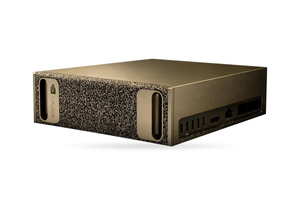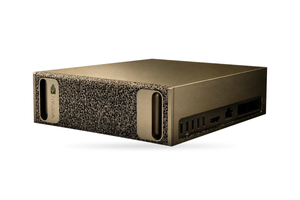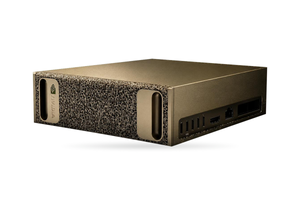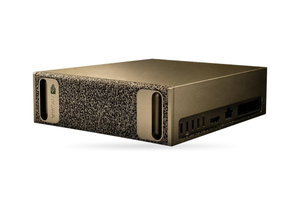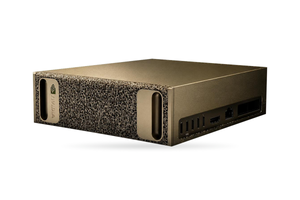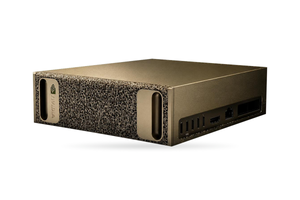

Both four-GPU servers handle Wan 2.2 at 720p: the 96 GB RTX PRO 6000 Blackwell Server Edition and the 141 GB H200 NVL each carry a separate generation job on every card. Working from NVIDIA's peak BF16 figures, we estimate that the H200 NVL produces roughly 1.7 times as many clips per hour per card, and its NVLink bridge lets four cards work on a single clip to cut the wait.
The list of models and the licences of other video models are collected in our overview of GPU requirements for video generation. When only one or two people in marketing make clips, a workstation is often enough; see the article on an AI video workstation for marketing.
In brief
- Wan2.2-T2V-A14B consists of two experts of roughly 14 billion parameters, with one active per step; together with the T5 encoder and the VAE in BF16 that comes to about 64.4 GiB by our calculation.
- A clip at Wan's default settings (1280 × 720, 81 frames, 40 steps with guidance) holds 75,600 tokens and needs at least 5.2 × 10^17 operations.
- Upper bound by our estimate: a single RTX PRO 6000 Server Edition manages roughly 3 clips of 720p an hour and a single H200 NVL roughly 5; nobody has published measured figures for either card.
- Splitting a clip over four cards shortens the wait, but over PCIe every card sends at least 1.9 TB per clip, seven times slower than across the H200 NVL's NVLink bridge.
- A four-card server takes about 3.4 kW from the mains, more than a single 230 V 16 A line provides; Wan 2.2 is released under Apache 2.0.
RTX PRO 6000 Server Edition and H200 NVL: the specs that matter for video
| Parameter | H200 NVL | RTX PRO 6000 Server Edition |
|---|---|---|
| On-card memory | HBM3e, 141 GB | GDDR7, 96 GB |
| Visible to the driver | 140.4 GiB | 95.6 GiB |
| Memory throughput | 4.8 TB/s | 1,597 GB/s |
| Dense BF16 peak on Tensor Cores | 835.5 TFLOPS | 503.8 TFLOPS, Workstation Edition figure used as ceiling |
| FP8 matrix rate as measured | 1,262 TFLOPS, card limited to 450 W | 774 TFLOPS, Workstation Edition |
| Interconnect | NVLink bridge for 2 or 4 cards | PCIe 5.0 x16 |
| Maximum board power | 600 W | 600 W |
Source: NVIDIA product pages and briefs (read 24.10.2026); the H200 NVL BF16 value is half of its 1,671 sparse TFLOPS; FP8 from StorageReview MAMF runs dated 14.10.2026.
NVIDIA's RTX PRO Blackwell whitepaper lists 503.8 dense BF16 TFLOPS for the Workstation Edition only. The Server Edition uses the same GPU with a lower FP32 rating (120 versus 125 TFLOPS), so that number is an upper bound for it. FP8 on the H200 NVL was measured at 450 W, which makes it a lower bound for the 600 W card.
How much GPU memory one Wan 2.2 job uses
Wan 2.2 was published, weights and code included, on 28 July 2025. The A14B models are mixtures of experts: according to Wan's repository, each expert has around 14 billion parameters, 27 billion in total, yet only 14 billion are active at any step. The high-noise expert handles early steps and the low-noise expert the later ones. On Hugging Face each expert occupies 57.2 GB, or 4 bytes for every parameter; as we read it, the weights are stored in 32-bit form, and the --convert_model_dtype option casts them to BF16.
| Component | Resident in BF16 | Download size |
|---|---|---|
| Text encoder (UMT5-XXL) | 11.4 GB | 11.4 GB, already BF16 |
| Expert for high noise | 28.6 GB | 57.2 GB at 32 bits |
| Expert for low noise | 28.6 GB | 57.2 GB at 32 bits |
| VAE | 0.5 GB | 0.5 GB |
| Total | 69.1 GB (64.4 GiB) | 126 GB |
Source: file list of Wan-AI/Wan2.2-T2V-A14B on Hugging Face and Wan's configuration files on GitHub, read 24.10.2026; BF16 sizes are our calculation at 2 bytes per parameter.
The repository says its single-GPU 720p command needs a card with 80 GB or more once offloading is enabled. With --offload_model True the idle expert is parked in system RAM and, after the prompt is encoded, the T5 encoder moves to the CPU. Wan gives no figure for running without offloading.
We treat 0.9 of the memory the driver shows, minus 3 GiB, as usable, which gives 83.0 GiB for the RTX PRO 6000 and 123.4 GiB for the H200 NVL. Once the weights are loaded, roughly 19 and 59 GiB remain for activations. On the H200 NVL the whole model can stay resident; on the RTX PRO 6000, check first whether the job runs without offloading.
Every offloaded job keeps about 69 GB of weights in system RAM, so four jobs need roughly 276 GB. That fits within 768 GB for four RTX PRO 6000 and 1,152 GB for four H200 NVL, sizes that follow NVIDIA's guidance for certified systems: at least twice as much system memory as GPU memory. ETE sizes system memory and NVMe together with the cards, based on how many jobs should run at once.
How many Wan 2.2 clips per hour one card produces
For A14B, Wan defaults to 40 steps and 81 frames played at 16 per second, roughly five seconds of video. After VAE compression and 2 × 2 patching, 1280 × 720 gives 21 latent frames of 3,600 tokens each by our calculation, or 75,600 tokens per clip. Guidance is on by default, so every step runs the transformer twice, with the prompt and then with the negative prompt.
A video token goes through about 12.0 billion weights, and one pass costs about 1.8 × 10^15 operations in the linear layers plus 4.7 × 10^15 in the self-attention of the 40 blocks, so at 720p attention accounts for almost three quarters of the work. Eighty passes add up to about 5.2 × 10^17 operations, excluding cross-attention, the encoder and the VAE, which makes it a floor. A clip at 832 × 480 has a sequence of 32,760 tokens and needs about 1.3 × 10^17 operations, a quarter as much, since attention scales with the square of the length.
Dividing the operations by NVIDIA's dense BF16 peak gives the minimum time per clip. Real kernels fall short of the peak: StorageReview measured 774 TFLOPS in FP8 on the RTX PRO 6000 Workstation Edition, 77% of NVIDIA's figure (1,007.6), and softmax and the VAE decoder add time outside the count. Use the table to compare configurations, not to promise throughput.
| Configuration | Clips per hour, 720p | Clips per hour, 480p | Minimum time for one 720p clip |
|---|---|---|---|
| H200 NVL, single card | 5 | 22 | 10.4 min |
| RTX PRO 6000 SE, single card | 3 | 13 | 17.2 min |
| H200 NVL, four cards | 23 | 90 | 10.4 min per card |
| RTX PRO 6000 SE, four cards | 13 | 54 | 17.2 min per card |
Source: our upper-bound estimate, rounded down, with a separate job on each card in the four-card rows; 5.19 × 10^17 operations per 720p clip and 1.33 × 10^17 per 480p clip taken from Wan's settings, configuration and code, then divided by 835.5 and 503.8 BF16 TFLOPS; measured times will be longer.
We found no measured minutes per clip for these cards from Wan, NVIDIA or independent labs. MLPerf Inference v6.1 added a test on Wan2.2-T2V-A14B (81 frames, 720 × 1280, 20 steps), but NVIDIA's inference page (metadata dated 19.10.2026) shows results only for GB300 NVL72, GB200 NVL72 and DGX B300.
One clip per card or one clip across four cards
Two numbers describe a studio queue: how many clips come out per hour, and how long someone waits for one. The first is maximised by giving every card its own job: the cards share no data, and losing one card costs only a quarter of the capacity.
Sequence parallelism spreads one clip over several cards. Wan's repository combines PyTorch FSDP with DeepSpeed Ulysses, using --ulysses_size 8 together with --dit_fsdp and --t5_fsdp for eight GPUs, and tests efficiency on 4 and 8 cards. Ulysses hands each card a quarter of the tokens and, inside all 40 attention layers, swaps queries, keys, values and outputs between the cards. We estimate that each card sends about 23 GB per pass, or 1.9 TB per clip.
| Four cards, one clip | Wait, both minimums added | Compute minimum | Exchange minimum |
|---|---|---|---|
| H200 NVL over a 4-card bridge | roughly 2.7 min | 155 s on each card | 4 s, 450 GB/s |
| RTX PRO 6000 over PCIe 5.0 | roughly 4.8 min | 258 s on each card | 29 s, 64 GB/s |
Source: our lower-bound estimate for a 720p clip, assuming exchange and compute do not overlap; traffic 4 exchanges × 18,900 tokens × 5,120 × 2 bytes × 3/4 per layer, 40 layers, 80 passes; one-way PCIe 5.0 and NVLink rates from NVIDIA's H200 NVL page (128 and 900 GB/s counting both directions).
--dit_fsdp adds roughly another 21 GB per card per pass; since the full BF16 model fits on each card, every card can hold its own copy without FSDP, so test both settings. Over PCIe the exchange also crosses the inter-processor link when cards sit under different sockets, and P2P depends on IOMMU and ACS settings. Wan publishes no scaling data for PCIe, so measure the four-card time on the actual server.
A four-card NVLink bridge joins H200 NVL cards into one domain with 900 GB/s for each GPU, and the NVIDIA product brief requires such cards to share one CPU domain. When a creative director waits for every draft, the shorter wait justifies the bridged server, while an overnight pipeline producing hundreds of variants gets more clips from a separate job on every card.
Which configuration fits which studio
| Studio need | Configuration and layout | What it gives, by our estimate |
|---|---|---|
| Overnight batches | four RTX PRO 6000 SE, a job on each | as many as 13 clips an hour at 720p, 54 at 480p |
| Highest output per kW | four H200 NVL, a job on each | as many as 23 clips an hour at 720p, model resident on the card |
| Drafts someone waits for | four H200 NVL bridged, Ulysses across all four | a clip in no less than 2.7 min |
| Video next to other workloads | four RTX PRO 6000 SE, two for video and two shared | MIG and vGPU available on the shared pair |
| Pilot for a single producer | two RTX PRO 6000 SE, a job on each | as many as 6 clips an hour at 720p, roughly 1.8 kW |
Source: our estimates from the tables above; card features from NVIDIA product pages.
The RTX PRO 6000 server is more flexible: each card splits into MIG instances, up to four of 24 GB, and NVIDIA supports the Server Edition with vGPU, so the server can render video by day and run other jobs at night. Blackwell also computes in FP4, which the H200 NVL lacks, but we did not find a Wan 2.2 pipeline in FP4 or FP8 published by Wan, so our sizing uses BF16.
The H200 NVL server is faster for this particular model: the higher BF16 rate shortens every clip, 141 GB keeps the whole model on the card, and NVLink makes splitting a clip worthwhile. ETE's catalogue has servers with two and eight H200 NVL; we treat the four-card version as a technical reference point, since the per-card arithmetic is the same.
Wan2.2-Animate-2, TI2V-5B and rights to the clips
Wan2.2-Animate-2-14B takes a reference image of a character plus a motion video and animates the character. According to its card, the weights were released on 7 August 2026, and the defaults are tuned for eight A800 cards at 720p. The distilled version runs 10 steps without guidance instead of 40 with two passes, so by the arithmetic above a card delivers several times more clips with it. The card states no memory figure, so test the model on one card first.
The small Wan2.2-TI2V-5B generates 720p at 24 frames per second on a GPU of 24 GB or more with offloading, which means a single RTX PRO 6000 fits several instances of it, as copies or MIG slices, for previews. Wan2.2-S2V-14B (video from speech) needs the same 80 GB as A14B. Bringing 720p clips up to 4K is covered in the article on video upscaling with SeedVR2.
The T2V-A14B and Animate-2-14B cards, read on 24.10.2026, name the Apache 2.0 licence, which permits commercial use with no territorial or revenue conditions. For clips generated by software without direct human involvement, Ukrainian Law No. 2811-IX (Art. 33) grants a sui generis right lasting 25 years; it belongs to the software's authors, their successors in title or its lawful users, and the licence may set the terms. Ukraine has no dedicated AI law yet; if clips are used in the EU, the EU AI Act's Article 50 transparency obligations (in force from 02.08.2026) may apply. This is not legal advice.
What power and storage a Wan 2.2 server needs
| Configuration | At the wall | Cards alone |
|---|---|---|
| Two RTX PRO 6000 SE | roughly 1.8 kW | 1.2 kW |
| Four RTX PRO 6000 SE | roughly 3.4 kW | 2.4 kW |
| Four H200 NVL | roughly 3.4 kW | 2.4 kW |
| Eight RTX PRO 6000 SE | roughly 6.3 kW | 4.8 kW |
Source: our estimate; cards at 600 W, two AMD EPYC processors (9135 for two cards, 9355 for four, 9555 for eight) and 15% for memory, drives, fans and conversion losses; a measurement on the assembled system confirms or replaces it.
Video generation keeps the cards fully loaded for minutes at a time, so plan power on the full figure (for eight-card nodes Dell's datasheet gives an indicative 8 kW). A four-card server at 3.4 kW exceeds the 2.94 kW we allow on a 230 V 16 A line at 80% load, so it needs 32 A or a three-phase 400 V connection under the distribution system operator's technical conditions. Given power outages in Ukraine, such a server is planned together with a UPS and a generator (see the article on powering a multi-GPU station).
Capping the RTX PRO 6000 Server Edition at 450 W brings the server down to about 2.7 kW at some cost in speed: StorageReview measured a 2 to 9% loss on LLM tasks (measured on the Workstation Edition in place of the Server Edition), and there are no figures for video. Several Wan models with their Diffusers versions take up several hundred gigabytes of NVMe by our estimate, not counting the clips. To make a clip reproducible, keep its prompt, seed and model revision with it.
Combining video, images, text and rendering on one server is covered in our article on an AI server for creative agencies.
FAQ
What VRAM does Wan 2.2 A14B require on a server?
Wan's single-GPU 720p command runs on 80 GB or more with offloading, and the full model in BF16 takes about 64.4 GiB. So a 96 GB RTX PRO 6000 and a 141 GB H200 NVL each hold one job. On the H200 NVL all weights stay on the card with room to spare; on the RTX PRO 6000, test whether the job runs without offloading.
How many clips an hour can a four-GPU Wan 2.2 server produce?
By our estimate, no more than 13 five-second 720p clips on four RTX PRO 6000 Server Edition and about 23 on four H200 NVL, with a separate job on each card. Real runs are slower, so measure the time per clip on a single card.
Can Wan 2.2 compute one clip on several GPUs?
Yes, through PyTorch FSDP and DeepSpeed Ulysses with --ulysses_size set to 4 or 8. On PCIe every card has to exchange 1.9 TB or more per 720p clip, so the H200 NVL with a four-card bridge benefits more.
RTX PRO 6000 or H200 NVL: which to choose for Wan 2.2?
Pick the H200 NVL when one model and the shortest wait matter (higher BF16 peak, 141 GB, NVLink). Pick the RTX PRO 6000 Server Edition when the same server also hosts image models or LLMs, since it adds MIG, vGPU and FP4.
What power does a Wan 2.2 server need?
By our estimate, about 3.4 kW for four cards at 600 W, 1.8 kW for two and 6.3 kW for eight. Four cards need a 32 A line or three phases, and in Ukrainian conditions a UPS and a generator as well.
Can Wan 2.2 be used commercially in Ukraine?
Yes, Apache 2.0 allows commercial use without territorial or revenue limits. For clips used in the EU, your lawyer also checks Article 50 of the EU AI Act.
What ETE supplies for this
- ETE AI Server RTX PRO: four 96 GB RTX PRO 6000 cards in a 4U chassis for four parallel Wan jobs, and 768 GB of DDR5 ECC holds the roughly 276 GB of weights that four offloaded jobs park in system memory.
- ETE AI XL43: eight RTX PRO 6000 Server Edition for twice as many parallel jobs, or video alongside other work through MIG and vGPU.
- ETE AI Server H200: two 141 GB H200 NVL for a pilot in which the whole model stays on the card.
- ETE AI G494: eight H200 NVL for a large queue with one job on every card.
Need a server for video generation?
Tell us the resolution and length of the clips you need and how many people will submit jobs. ETE will work out the configuration including memory and storage, and if needed, Vixen.UNO engineers will install Wan 2.2 with drivers, CUDA and a container runtime.