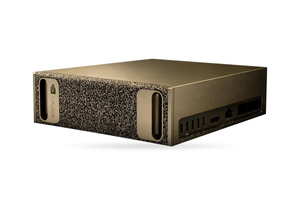

A self-hosted ChatGPT for business, replacing ChatGPT, Claude or Gemini, runs entirely on company hardware. It is built from a model server exposing an OpenAI-compatible API (vLLM, for example), a chat interface with user accounts (Open WebUI or LibreChat), login via the company identity provider, a documents layer honouring each person's permissions, a query log, and GPU servers dimensioned for the peak number of simultaneous requests. Prompts and files leave the building only through connections you add yourself.
In brief
- vLLM's --api-key does not cover every route, so only the chat interface host should be able to reach the vLLM port.
- LibreChat is MIT-licensed; Open WebUI's own licence, in force since v0.6.6, sets no cap on users inside a company but protects the branding once more than 50 end users appear within 30 days.
- Both interfaces speak OpenID Connect, while only LibreChat has SAML built in; Open WebUI grants knowledge bases to groups, so per-document rights must be checked at search time.
- Open WebUI's audit log is disabled out of the box, truncates bodies at 2,048 bytes and never sees answers, so a full record comes from stored chat history or a gateway in front of vLLM.
- With gpt-oss-120b on a single 96 GB RTX PRO 6000, roughly 22.2 GiB remain for the KV cache, which means about 19 concurrent conversations at a declared 32K context.
The building blocks of a private chat assistant
The table lists eight layers and the decisions each of them needs.
| Layer | Decide on | Typical choices |
|---|---|---|
| Model server | which model, what precision, how much context to declare | vLLM / SGLang / NVIDIA NIM |
| Chat interface | licensing conditions, what each role may use | Open WebUI / LibreChat |
| Login and roles | whether local login stays, token validity, who sees which model | OIDC / SAML / LDAP / SCIM |
| Documents and RAG | at which point document rights get enforced | file uploads, knowledge bases, a retrieval service |
| Query log | contents, readers, retention | saved chats, audit log, a gateway |
| Guardrails | what is screened on the way in and out | filter functions, guard models |
| Model | licensing, languages, memory footprint | Apache 2.0, community licences |
| GPU server | card count, a second host | dimensioned for simultaneous requests |
Source: vLLM, Open WebUI, LibreChat and NeMo Guardrails documentation, read 06.10.2026.
Model server: vLLM with an OpenAI-compatible API
vLLM is Apache 2.0 software and acts as an HTTP server implementing OpenAI's Completions API, Chat API and further OpenAI APIs; you launch it with vllm serve and a model name. The --api-key option validates static keys, but only on /v1, /v2, /inference and /cohere. vLLM's security page (read 23.10.2026) lists routes that respond without a key, /invocations, /rerank and /update_weights among them, so the interface host should be the only machine able to reach the vLLM port. vLLM keeps no user accounts and disregards the user parameter, which leaves the interface or a gateway as the only place aware of who asked what.
Configure --max-model-len for the context your conversations need rather than the model's maximum, because that value decides how many conversations fit at once. vLLM sends anonymous usage statistics unless VLLM_NO_USAGE_STATS=1 is set.
Open WebUI or LibreChat: the interface and its licence
Each of them can talk to any OpenAI-compatible server: Open WebUI under Settings, Admin, Connections with vLLM's /v1 address, LibreChat through a custom endpoint whose baseURL goes into librechat.yaml. Knowledge-base search in Open WebUI can add BM25 and reranking, whereas LibreChat brings its own RAG API built on PostgreSQL and pgvector. A small team may get by with AnythingLLM, which packs chat and document search into a single program.
LibreChat is MIT, its separate admin panel AGPL-3.0. Since v0.6.6 of 19 April 2025 Open WebUI has used a licence of its own: BSD-3 terms plus a clause that forbids changing, removing or replacing the branding if a deployment has over 50 end users in any 30 consecutive days and lacks either written consent from the copyright holder or an enterprise licence. Internal use has no user cap as long as the branding stays visible, but the licence is not OSI-approved, which matters if company policy accepts OSI licences only.
Single sign-on: OIDC, SAML, roles and groups
In both interfaces users log in via OpenID Connect. LDAP is documented for Open WebUI as well, as is a trusted header from a proxy, and a mistake in that setup lets someone log in as anybody. We found no native SAML in it, so a broker such as Keycloak bridges the gap. LibreChat handles SAML directly, though not alongside OpenID Connect and with no Single Logout.
Group and role information comes from the token. In Open WebUI, OAUTH_ADMIN_ROLES lists administrator roles, OAUTH_ALLOWED_ROLES the roles admitted at all, and ENABLE_OAUTH_GROUP_MANAGEMENT strictly aligns memberships with the token at each login, dropping groups assigned by hand. Permissions only add up, so the documentation advises keeping defaults minimal. LibreChat admits only listed roles via OPENID_REQUIRED_ROLE and manages feature rights in its admin panel (v0.8.5 or newer required).
New Open WebUI accounts start as pending, and ENABLE_LOGIN_FORM=false hides the local password form. By default a session token is valid for four weeks (4w) and, absent Redis, survives a logout; deactivating an account does not revoke them either, so an administrator also clicks Sign out all devices. With SCIM 2.0 the identity provider deactivates users itself.
Documents, RAG and rights on every document
In Open WebUI a knowledge base is opened to groups or individuals through an access list, and the oikb tool copies content from Git repos, Confluence spaces and S3 buckets into it. That list covers the base as a whole; we found nothing in the documentation that copies the per-document rights of the source system into the index. Onyx's paid Enterprise Edition syncs such rights from SharePoint, Teams and Confluence, see our article on self-hosted Onyx.
That is enough when a collection has a single audience. Once one repository holds documents for different readers, rights are enforced during search: a filter on the user's identity and groups runs before ranking, as explained in our article on RAG over company data. In Open WebUI the identity reaches the search service through a filter function, which receives the complete user record.
Logging prompts and answers: what to keep and for how long
Open WebUI stores conversations in its own database. Users can delete them if they hold the Allow Chat Delete permission, and administrators can read other people's chats while ENABLE_ADMIN_CHAT_ACCESS remains true, which is the default. A separate audit log exists but is disabled unless you enable it; the METADATA level records user, IP, method, URL and time, REQUEST_RESPONSE adds bodies cut at 2,048 bytes, and the default exclusions /chats, /chat and /folders keep chat out of the log.
Even with the chat routes included, the log sees the request but not the reply: the answer text reaches the browser over a websocket and is stored with the chat. A complete record therefore comes either from saved history (with deletion and temporary chats disabled) or from a gateway between interface and model server, to which Open WebUI sends the user's name, ID, email and role when ENABLE_FORWARD_USER_INFO_HEADERS=true. In LibreChat, temporary chats are removed after 720 hours unless configured otherwise.
A log of employees' prompts holds their personal data. Ukraine's Law No. 2297-VI allows processing it on the basis of the employment relationship (Articles 7 and 11), and under Article 29 of the Labour Code staff must be made aware of any monitoring in advance, against signature. GDPR-style bill No. 8153 had not been adopted as of November 2026, and Ukraine has no dedicated AI law yet. The EU AI Act may apply if the system is placed on the EU market or its output is used in the EU. Running your own server does not replace a legal basis or informing people, and your lawyer should set the retention period.
A public API for selected tasks is added as one more connection, available to approved groups only, so its use also shows up in the log. Direct Connections stay disabled, because with them the browser goes straight to the API provider, bypassing both server and log.
Guardrails and open model licences
Open WebUI's filter functions run an inlet step ahead of the model and an outlet step ahead of the user; a filter marked global and active is forced on for every model. NVIDIA's NeMo Guardrails (Apache 2.0) adds input, output and retrieval checks, and OpenAI's gpt-oss-safeguard models (Apache 2.0 too) classify text according to safety policies you write.
| Licence | Models | Watch out for |
|---|---|---|
| Apache 2.0 | gpt-oss-20b, gpt-oss-120b | the usage policy requires following applicable law |
| Apache 2.0 | Qwen3-32B, Qwen3.8-27B | sibling Qwen3.8-Flash-Next is under Qwen Community License 1.0 |
| Apache 2.0 | Gemma 4, sizes E2B to 31B | older Gemma 3 still carries the Gemma Terms of Use |
| Llama 3.3 community licence | Llama 3.3 70B | "Built with Llama" on products; Meta licence needed above 700 million monthly active users |
| Llama 4 community licence | Llama 4 Scout | multimodal rights denied to firms headquartered (principal place of business) in the EU |
| Apache 2.0 | Muse Glimmer 30B (Meta) | Muse Spark Open comes with a separate Muse Model License |
Source: model cards, licence files and Meta usage policies, read 06.10.2026, Muse 23.10.2026; Llama 4 policy re-read 31.10.2026.
Check each model card. Keep the Llama 4 restriction in mind if a European company in your group will use the model.
For an assistant working in Ukrainian, the lang-uk Ukrainian LLM Leaderboard helps: in its May 2026 results Gemma 4 26B A4B in reasoning mode scores highest, including 86.6% on MMLU-uk. On the UNLP 2026 grammar benchmark gpt-oss-120b reaches about 55% in Ukrainian, while even the strongest models there score around 60%. INSAIT's MamayLM v2.0 (12B and 27B, based on Gemma 3) is built for Ukrainian but comes under the Gemma Terms of Use.
How many GPUs for simultaneous users
Size GPUs by simultaneous requests in the busiest hour, not by headcount. The KV cache receives 0.9 of the memory reported by the driver, less 3 GiB and less the weights; the share is controlled by vLLM's gpu_memory_utilization, whose default is now 0.92. The driver shows 95.6 GiB for a 96 GB RTX PRO 6000, and 0.9 of that is 86.0 GiB. The gpt-oss-120b checkpoint, with MXFP4 expert weights, occupies 65.3 GB (60.8 GiB) and leaves about 22.2 GiB. Just 18 of its 36 layers cache the full context, while the rest work with a 128-token window, so each token costs 36 KiB of BF16 cache. A conversation at a declared 32K needs 1.125 GiB, and around 19 fit simultaneously; vLLM prints its own figure on startup.
| Configuration | How gpt-oss-120b is placed | Simultaneous 32K conversations |
|---|---|---|
| 1 × RTX PRO 6000, 96 GB | one copy | about 19 |
| 4 × RTX PRO 6000 Server Edition | four separate copies | about 76 |
| 4 × RTX PRO 6000 Server Edition | two copies, each on a tensor-parallel pair of cards | about 186 |
Source: calculation by the rule "0.9 × driver memory minus 3 GiB minus weights"; throughput at this load has not been measured.
A tensor-parallel pair stores the weights once for two cards, hence the higher count. These cards lack NVLink, so traffic goes over PCIe, and vLLM switches off its custom all-reduce beyond two GPUs without NVLink, which makes two pairs the better layout. A load test is required. Figures for 100, 500 and 2,000 employees are in our article on server sizing by company size, and the card variants are compared in RTX PRO 6000: Workstation, Max-Q and Server Edition.
Every request carries the whole conversation, and vLLM's prefix caching reuses history it has already processed. In the background Open WebUI also invokes a model to generate titles, tags, suggestions and autocomplete, by default the same one used in the chat; the documentation recommends a small non-reasoning model running as a second vLLM instance, and disabling autocomplete first. For availability, plan a second card in a second host.
ETE calculates the configuration for your peak of simultaneous requests from the real workload, and Vixen.UNO engineers can deploy vLLM, Open WebUI or LibreChat when needed.
Rolling out in stages: pilot group, policy, training
- Pick one process and a pilot group, and agree on the metrics the pilot has to hit before it expands.
- Write a usage policy: which data classes may be entered, which models and connections each group gets, what gets logged, who may read it, how long it is kept.
- Connect SSO with roles and groups, disable local login, vLLM statistics and Direct Connections, and shorten the token lifetime. As of 5 November 2026, run Open WebUI 0.12.2 or later (versions before 0.11.4 let any website grab a session token) and vLLM 0.32.0 or later. vLLM 0.33.0 of 2 November ships only CUDA 13.0 builds, which need an R580 or newer driver.
- Train the pilot group before access opens: what may be entered, how to verify a cited source, how to report a wrong answer.
- Measure simultaneous requests, time to first token and answer quality, and size the production servers from those numbers.
- When the metrics are reached, open the assistant to another department, and put a second server in place before the entire company depends on it.
FAQ
What do you need for a self-hosted ChatGPT?
The core is a model server like vLLM and a chat interface such as Open WebUI or LibreChat. Around them come SSO, document permission checks, a log with a retention period, guardrails, a suitably licensed model and GPUs sized for peak load.
Can we run a ChatGPT equivalent that sends no data out?
Yes: gpt-oss-120b on vLLM on your GPUs, with Open WebUI or LibreChat on your network. Disable Direct Connections, let only the interface host reach the vLLM port, set VLLM_NO_USAGE_STATS=1, and switch on OFFLINE_MODE in Open WebUI, which otherwise downloads models and checks for updates.
Does Open WebUI need a commercial licence?
Not for internal use, as long as the Open WebUI branding stays visible. Changing or removing the branding with more than 50 end users in 30 days requires written permission from the copyright holder or an enterprise licence. LibreChat is MIT and has no such clause.
How many GPUs does a company chat need?
That depends on peak simultaneous requests and the declared context. One 96 GB RTX PRO 6000 running gpt-oss-120b handles about 19 conversations at 32K, and a four-card RTX PRO 6000 Server Edition machine between 76 and roughly 186, to be confirmed by a load test. Add a second host for availability.
Which open model suits an assistant working in Ukrainian?
Licence-wise the simplest choices are Apache 2.0 models: gpt-oss, Qwen3-32B, Gemma 4. On the lang-uk leaderboard Gemma 4 26B A4B in reasoning mode scores highest; MamayLM v2.0 targets Ukrainian but carries the Gemma Terms of Use. Decide after testing on your own prompts.
What ETE supplies for this
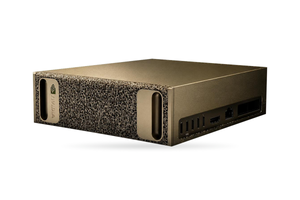
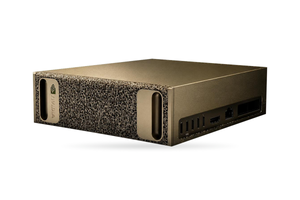
- ETE AI Workstation: one 96 GB RTX PRO 6000, meaning gpt-oss-120b and about 19 conversations at 32K for a pilot group.
- ETE AI Server RTX PRO: four 96 GB RTX PRO 6000 Server Edition cards, the exact setup in the calculation: about 76 conversations at 32K as four copies or about 186 as two pairs.
- ETE AI XL43: eight RTX PRO 6000 Server Edition cards for when one four-card server is not enough.
Planning your own ChatGPT for the company?
Tell us how many people will use it and how many simultaneous requests you expect at peak, which identity provider you run, where your documents live and which model you are considering. ETE will work out the configuration, and Vixen.UNO engineers can deploy vLLM, the interface and SSO if needed.